The Best Budgeting Apps help you track spending, manage cash flow, save more money, and achieve financial goals faster. Whether you’re looking for a free budgeting app, a budgeting app for couples, or an advanced personal finance tool, choosing the right app can transform your financial future.
But real financial autonomy isn’t about arbitrary deprivation. It is about alignment. It’s about ensuring that every single dollar passing through your hands is intentionally directed toward things that bring value to your life—whether that is a down payment on a home, an early retirement fund, or a guilt-free international trip.
For decades, the standard tool for this alignment was the custom Excel spreadsheet. But let’s be entirely honest: manual spreadsheets are a historical artifact. They are backward-looking, tedious to maintain, and prone to broken formulas.
Modern budgeting apps have transformed budgeting from a boring weekend chore into a real-time, proactive strategy. The challenge now isn’t a lack of tools; it’s an overwhelming paradox of choice.
Since the legendary platform Mint shut its doors, a gold rush of new financial platforms has emerged. This exhaustive guide cuts through the marketing hype to help you find the absolute best apps for budgeting, tailored specifically to your unique psychology, device ecosystem, and financial goals.
1. Best Budgeting Methods Explained
Before downloading a single app or entering your email, you must recognize that budgeting software is not one-size-fits-all. Every application is built upon a distinct underlying philosophical framework. If you choose an app that conflicts with your psychological relationship with money, you will abandon it within three weeks.
When evaluating budgeting, think of your system in one of four distinct categories:
Zero-Based Budgeting
This system operates on a simple rule: Total Income Minus Total Expenses Equals Zero. Every single dollar that enters your bank account is immediately assigned a specific job before you spend it. If you have $5,000 in monthly income, all $5,000 is distributed among categories like rent, groceries, investments, and fun money. There is no unallocated cash left floating around.
The Envelope System
The digital evolution of the classic physical cash-envelope method. You allocate fixed amounts of money to specific digital “envelopes” at the start of the month. Once an envelope is empty, your spending in that category is completely locked until the next funding cycle unless you actively steal funds from another envelope to cover the difference.
The 50/30/20 Rule
A macro-level approach popularized by financial experts and consumer advocacy frameworks like the Consumer Financial Protection Bureau (CFPB). You split your after-tax income into three distinct buckets:
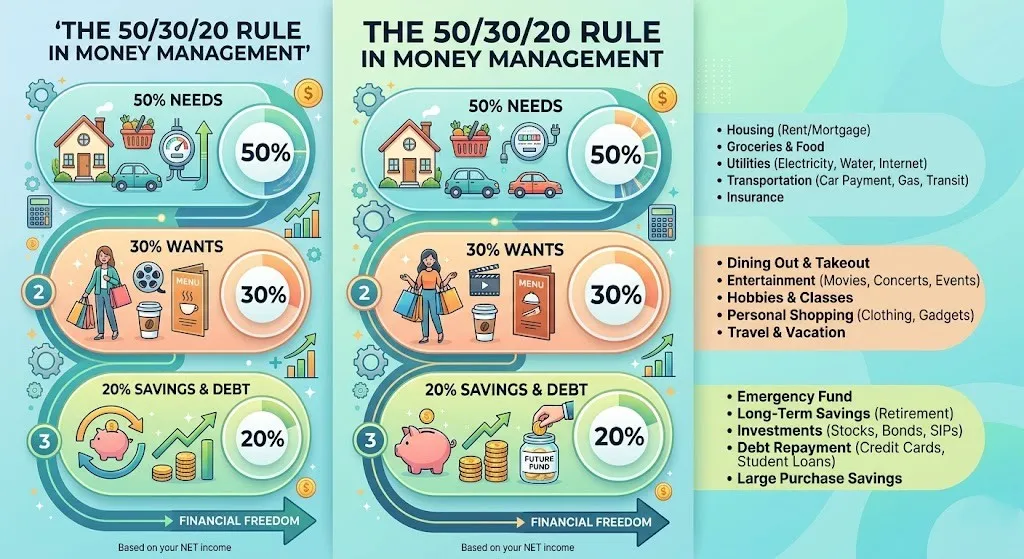
- 50% Needs: Fixed obligations like housing, utilities, and debt minimums.
- 30% Wants: Variable lifestyle choices like dining out, entertainment, and hobbies.
- 20% Savings: Wealth accumulation, investments, and aggressive debt principal paydowns.
Cash-Flow & Net Worth Tracking
A top-down, retrospective style of financial management. Rather than micro-managing every transaction before it happens, you link your accounts to track your high-level cash flow (money in vs. money out) and watch your aggregate net worth grow over time.
2. Best Budgeting Apps Overall: The Heavy Hitters
If you want comprehensive features, robust cross-platform synchronization, and deep analytical tools, these premium options represent the absolute apex of the current fintech landscape.
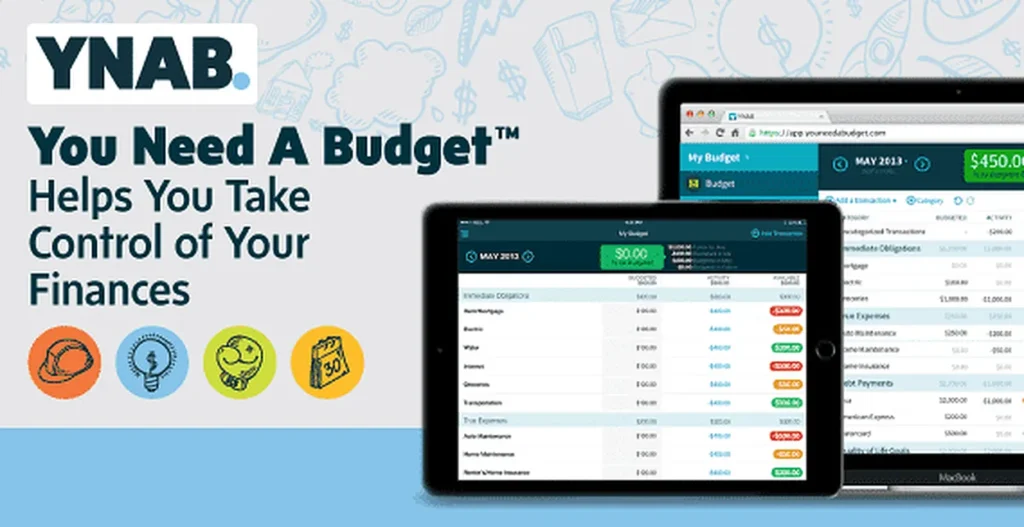
YNAB (You Need A Budget) — The Accountability Machine
YNAB isn’t just a piece of software; it is a financial philosophy with a massive global community. Built completely around the strict principles of zero-based budgeting, YNAB forces you to answer one question with absolute clarity: What does this money need to do before I get paid again?
[Incoming Paycheck] ──> [YNAB Dashboard] ──> Assign to Rent (Fully Funded)
                                         ──> Assign to Groceries (Fully Funded)
                                         ──> Assign to Savings (Fully Funded)
                                         ──> Net Available = $0.00
- The Secret Sauce: YNAB doesn’t let you budget money you don’t currently have. If you expect a paycheck in two weeks, you cannot allocate it today. You can only assign the literal cash sitting in your bank accounts right now. This structural rule completely rewires how you view your liquid capital.
- Pros: Incredible education materials, world-class mobile and desktop interfaces, and a proven track record of helping users break the paycheck-to-paycheck cycle.
- Cons: Features a steep learning curve for beginners and carries a premium annual subscription cost that may deter cash-strapped users.
Monarch Money — The Modern Premium Standard
When Mint announced its closure, Monarch Money emerged as the premier destination for displaced users looking for a polished, modern workspace. Founded by seasoned personal finance product designers, Monarch offers a beautifully integrated view of your entire financial life.
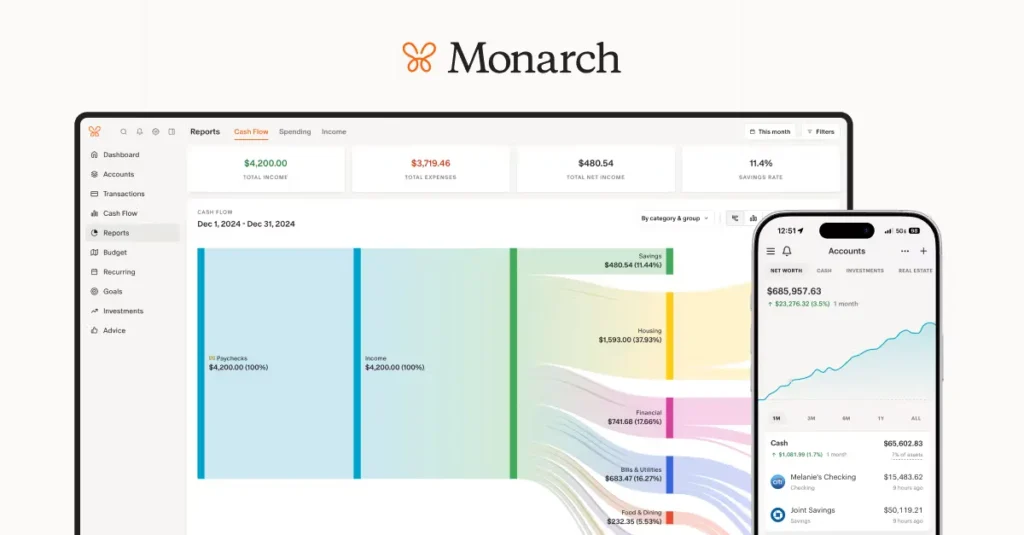
- The Secret Sauce: Monarch combines proactive budgeting with high-level wealth management. It tracks your investments, real estate values, and liabilities alongside your daily operational cash flow. It also features a dedicated co-management ecosystem, allowing couples to sync their individual accounts into a unified household dashboard without sacrificing their personal login credentials. Google Play
- Pros: Absolutely gorgeous user interface, ad-free experience, customizable dashboards, and highly reliable multi-institution bank syncing.
- Cons: No meaningful free tier; designed strictly as a paid premium service for serious wealth-builders.
Copilot Money — The Sleek, AI-Driven Clean Slate
If you live entirely within the Apple ecosystem and appreciate cutting-edge design, Copilot Money is a remarkable tool. Winner of multiple design accolades, Copilot leverages machine learning to automatically analyze your historical transaction patterns, smart-tag your categories, and predict your upcoming recurring bills.
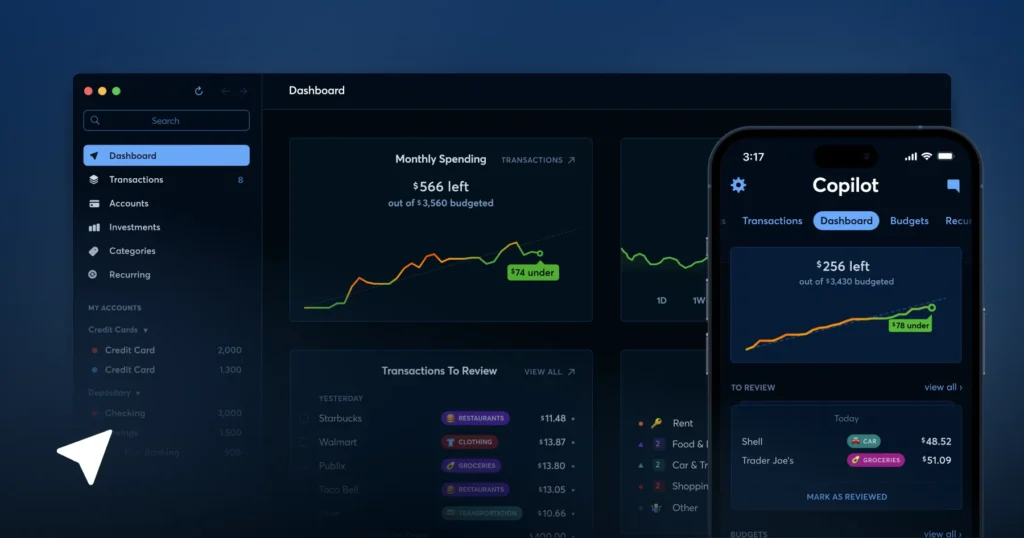
- The Secret Sauce: Copilot feels like software built for the future. Its interface utilizes native iOS and macOS design paradigms, offering fluid animations, clear data visualizations, and an exceptionally smart notification system that pings you the moment anomalous spending patterns are detected.
- Pros: Unmatched automated transaction categorization, highly intuitive user interface, and real-time investment tracking.
- Cons: Exclusively limited to the Apple ecosystem (iOS, Mac, Apple Watch); no native Windows or web-based app interface.
Empower Personal Dashboard — The Ultimate Free Wealth Tracker
Formerly known as Personal Capital, Empower takes an entirely different approach to the personal finance equation. While it includes basic baseline spending and cash-flow monitoring tools, its core engine is explicitly engineered for long-term investment and net worth management.
- The Secret Sauce: It is entirely free. Empower generates its revenue by offering premium wealth management advisory services to high-net-worth users, meaning their foundational software dashboard is free for the public. It includes robust fee analyzers that inspect your 401(k) accounts to reveal hidden mutual fund costs, along with retirement planners that run complex Monte Carlo simulations to project your financial success. Reddit
- Pros: Completely free to use, best-in-class investment allocation charting, and comprehensive net worth metrics.
- Cons: Transaction tracking and granular day-to-day budgeting tools are relatively basic compared to dedicated zero-based apps like YNAB.
3. Best Apps for Budgeting Free: Financial Control Without the Subscription Fee
Paying a monthly subscription to learn how to save money can feel highly counterintuitive. If you are operating on a razor-thin margin, these budgeting apps free alternatives provide reliable protection without hitting your credit card.
Goodbudget — Digital Envelopes for Traditionalists
Goodbudget brings the time-tested envelope budgeting methodology directly to your smartphone. The free version of the app grants you access to 20 distinct envelopes, functional across two separate devices.
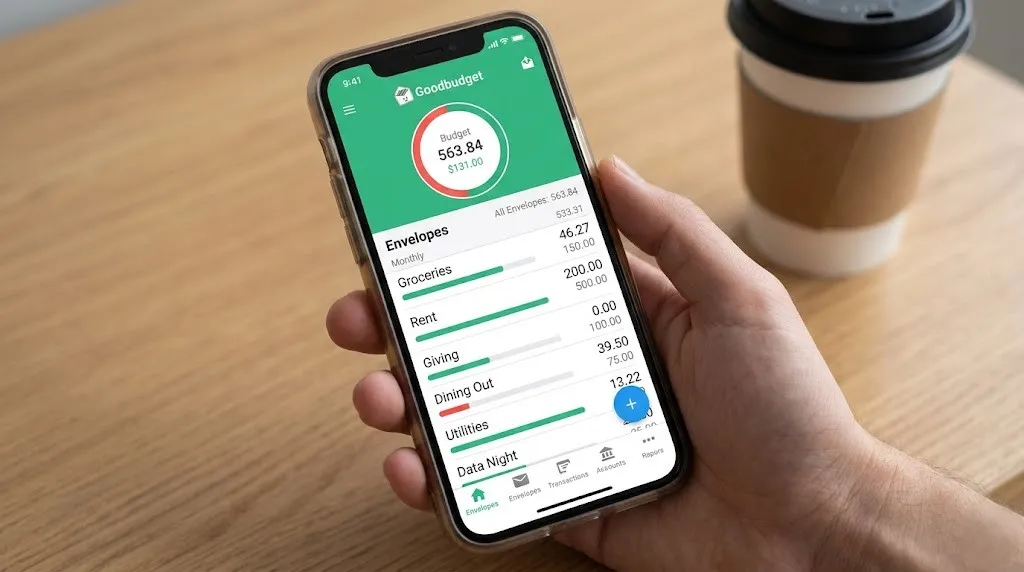
- The Approach: Goodbudget relies completely on manual transaction entry on its free tier. Rather than connecting directly to your bank via third-party aggregators, you input your spending yourself. While some view this as an inconvenience, it forces a moment of psychological friction that naturally deters impulse purchases. Google Play
- Best For: Those who want a clean, simple digital container system without giving up control or connecting external financial accounts.
PocketGuard — Simple Financial Guardrails
PocketGuard is designed specifically for people who get completely overwhelmed by complex charts, multi-tiered categories, and long financial reports. It simplifies your entire budget down to one core metric: “In My Pocket.”
  Total Monthly Income
- Regular Fixed Bills
- Financial Savings Goals
───────────────────────────
= "In My Pocket" (Safe to Spend Cash)
The app calculates your total income, subtracts your fixed bills and savings targets, and presents you with a single, real-time dollar figure that is completely safe to spend today without jeopardizing your financial obligations.
4. Best Budgeting Apps for iPad: Maximizing Your Digital Canvas
While tracking expenses on a smartphone is ideal for quick on-the-go updates, sitting down to conduct a deep monthly financial review is infinitely better on a larger display. Choosing the best budgeting apps ipad requires looking at software that goes beyond simple mobile scaling to leverage tablet hardware effectively.
┌────────────────────────────────────────────────────────┐
│  [iPadOS Split View]                                   │
│  ┌─────────────────────────┐ ┌───────────────────────┐ │
│  │ Budgeting App Dashboard │ │ Banking Portal / App  │ │
│  │                         │ │                       │ │
│  │  • Envelopes & Budgets  │ │  • Recent Statements  │ │
│  │  • Expense Trends       │ │  • Clean Cleared Cash │ │
│  │  • Allocation Wheels    │ │  • Pending Charges   │ │
│  │                         │ │                       │ │
│  └─────────────────────────┘ └───────────────────────┘ │
└────────────────────────────────────────────────────────┘
A premier iPad budgeting experience must integrate three essential elements:
- Native Split-View Optimization: The capability to run your budgeting app on one half of the screen while keeping your online banking portal or investment statements open on the other for rapid cross-referencing.
- Apple Silicon Desktop Performance: Full compatibility with Magic Keyboards and external trackpads, allowing for rapid keyboard shortcuts and cellular-style data navigation.
- Expansive Data Visualizations: Turning basic list views into beautiful, expansive multi-column financial dashboards that provide an instant 360-degree overview of your net worth trends.
Both Copilot Money and Monarch Money feature stunning, dedicated iPadOS architectures that look incredible on large screens. They transform standard expense tracking into an immersive, highly satisfying financial planning workstation.
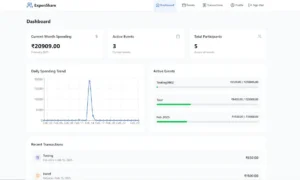
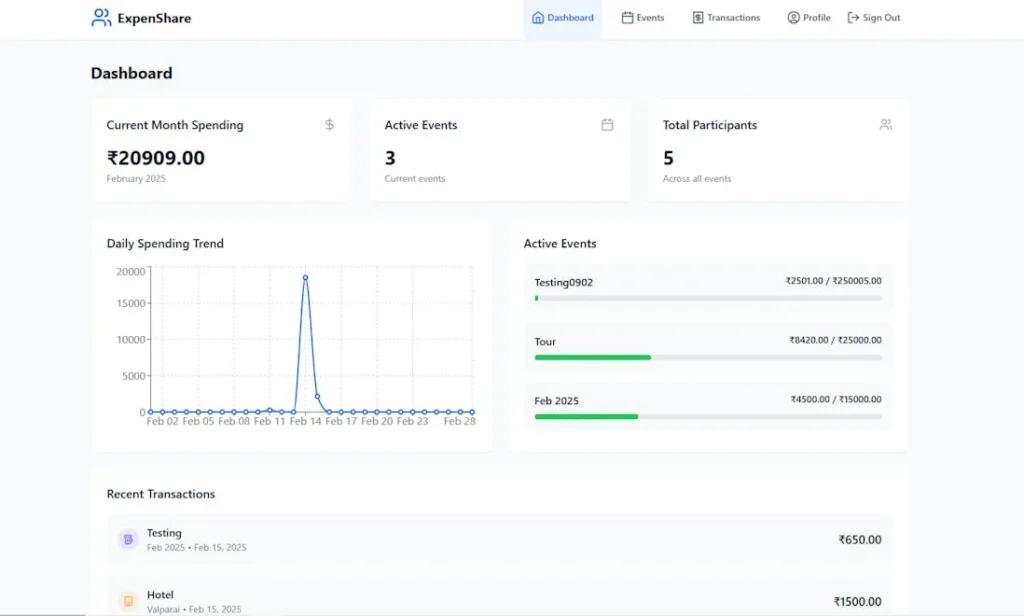
5. Spotlight on Collaborative Finance: ExpenShare
While personal financial apps focus heavily on the individual, real-world finance is incredibly social. Whether you are living with a partner, managing common expenses with roommates, planning a massive group vacation, or coordinating a family event, standard individual budget tools fail completely.
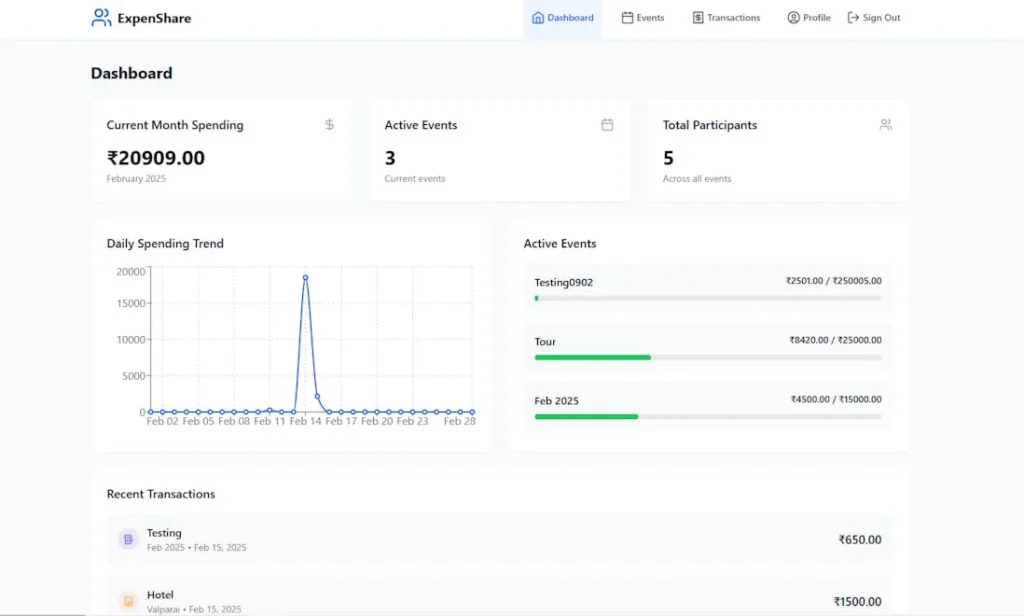
This is where ExpenShare steps in to rewrite the script on shared expense management.
Unlike traditional personal finance trackers that demand full access to your sensitive bank logins, ExpenShare is built from the ground up as a 100% manual, 100% private shared expense ledger. It completely bypasses the security concerns of third-party financial aggregators, ensuring your private banking data remains entirely under your personal control.
The Power of Immediate Shared Visibility
The core value proposition of ExpenShare is the elimination of relationship friction. Money conversations with friends or partners are notoriously awkward. Traditional group tracking often results in someone doing complex calculator math at midnight or sending uncomfortable texts to friends weeks after an event has concluded.
ExpenShare solves this by offering an elegant, real-time shared budget interface:
- Instant Group Synced Logs: You create a dedicated event, household list, or trip folder and invite your participants. The moment you pay for a shared expense—such as a $150 utility bill or a group dinner—you log it into the app. In under ten seconds, everyone in the group receives immediate visibility on who paid, what was bought, and how the budget balance shifts. Google Play
- Intelligent Split Algorithms: The app handles complex multi-person splits instantly. Whether an expense needs to be split perfectly down the middle, weighted by specific percentages, or tagged to exclude a certain participant, ExpenShare calculates exactly who owes what in real time. ExpenShare
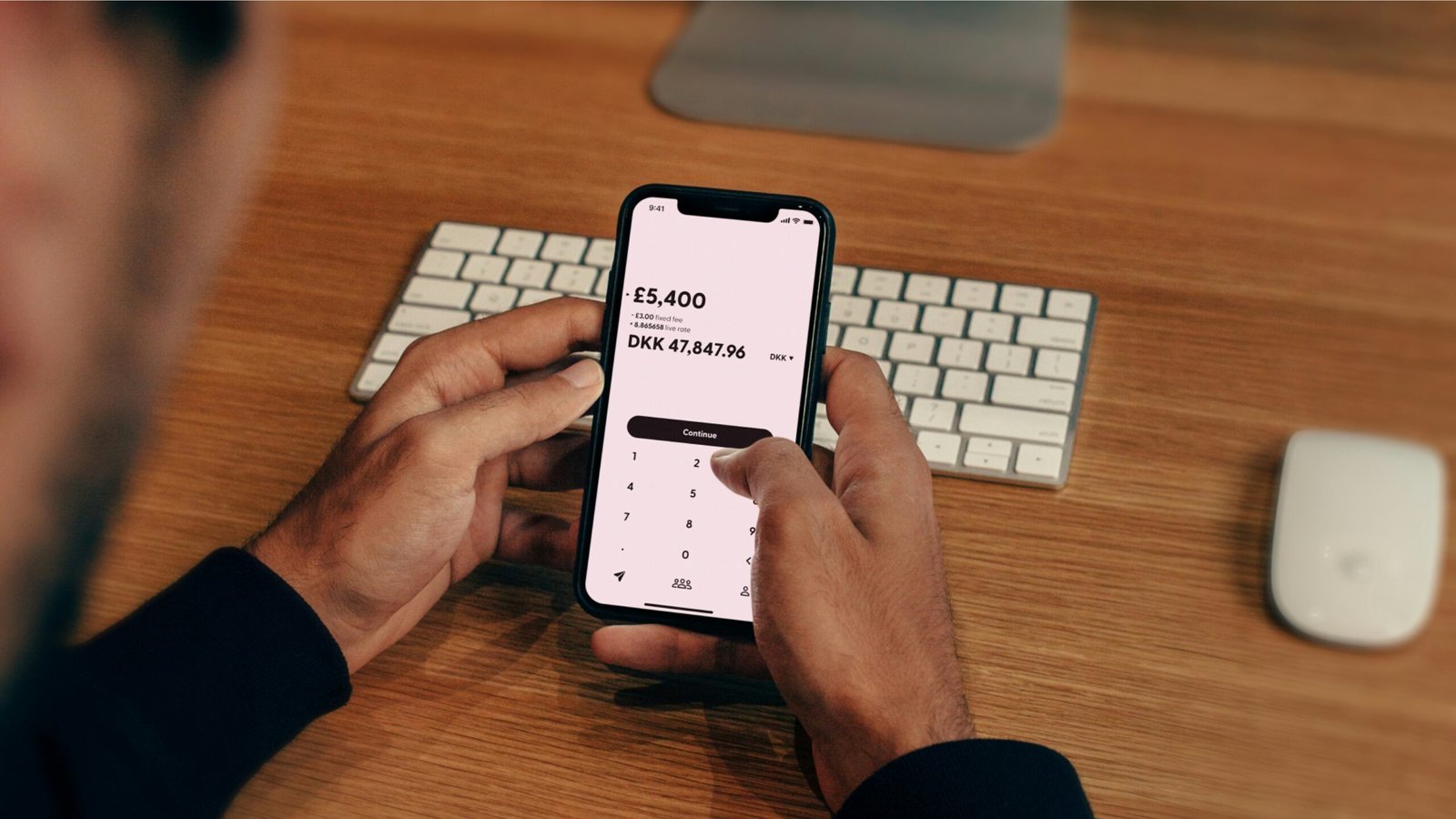
- Privacy-Centric Multi-Currency Architecture: For international travel or remote friend groups, ExpenShare includes robust multi-currency engines that track global costs and handle conversions seamlessly. Because it never connects to your credit cards, it functions perfectly as a fast, lightweight ledger without data privacy risks. ExpenShare+ 1
6. Manual vs Automated Budgeting Apps
As you choose between various personal finance platforms, you will encounter a massive marketing push toward absolute automation. Apps will boast about their ability to automatically scrape your bank accounts, clean your data, and manage your budget entirely in the background without you ever having to open the app.
Be incredibly careful with this premise. Automation frequently breeds financial disengagement.
When your budgeting tools operate entirely behind the scenes, your brain stops processing the reality of your consumer choices. A card swipe happens, an automated script logs it, and you go about your week completely unphased by the capital outflows.
[Automated Tracking] ──> Swipe Card ──> App Background Log ──> Low Mindfulness
[Manual Tracking]    ──> Swipe Card ──> Type Amount ($45.00) ──> Proactive Awareness
Manual logging—the exact framework championed by platforms like YNAB and group tools like ExpenShare—is a legitimate behavioral superpower.
Taking three seconds to open an app and physically type in a transaction forces a momentary pause. It triggers a micro-metric of mindfulness, making your brain acutely aware of the trade-offs you are making. You aren’t just looking at past data; you are actively participating in your financial trajectory in real time.
7. Comprehensive Strategic Comparison Matrix
To help you choose your ideal platform at a glance, this matrix compares the leading options across core operational frameworks:
| App Name | Cost Framework | Primary Budgeting Style | Account Connection | Ideal Use Case |
|---|---|---|---|---|
| YNAB | Premium Paid Subscription | Zero-Based Allocation | Automated Sync or Manual | Breaking the paycheck-to-paycheck cycle |
| Monarch Money | Premium Paid Subscription | Cash-Flow & Net Worth | Automated Multi-Bank Sync | Holistic multi-account household tracking |
| Copilot Money | Premium Paid Subscription | AI-Driven Category Track | Automated Smart Sync | Apple power-users who love clean design |
| Empower | Completely Free | Net Worth & Asset Analysis | Automated Investment Sync | Long-term investment portfolio optimization |
| Goodbudget | Free Tier Available | Digital Envelope System | Pure Manual Input | Classic budget discipline without bank links |
| ExpenShare | Free Tier Available | Shared Group & Couple Ledger | Pure Manual / Ultra-Private | Seamlessly splitting bills, trips, & flat costs |
8. Frequently Asked Questions (FAQ)
Q: Is it safe to link my primary bank accounts to budgeting apps?
A: Most premium budgeting applications utilize secure, read-only financial data networks like Plaid or Finicity to aggregate your transactions. These networks do not give the app access to your actual login credentials or allow the software to move money or execute transfers. However, if you are uncomfortable with the privacy implications of linking your bank accounts, look for manual-entry alternatives like Goodbudget or group trackers like ExpenShare, which require absolutely zero bank integrations.
Q: What is the primary difference between a budgeting app and an expense manager?
A: An expense manager is retrospective—it simply records what you have already spent after the money has left your account. A true budgeting app is forward-looking—it helps you build a defensive strategy for your money before you spend it, ensuring you are operating within predefined guardrails rather than reacting to empty account balances.
Q: Can I effectively co-manage a budget with a partner using these apps?
A: Absolutely. Modern systems have prioritized collaborative features. Platforms like Monarch Money offer explicit household sharing features that let couples combine dashboards, while manual ledger apps like ExpenShare provide instant shared visibility across separate devices for specific events, shared rental spaces, or everyday relational spending.
Q: Why should I choose a manual app over an automated one?
A: Manual apps excel because they eliminate technical syncing errors (which occur frequently with small local credit unions) and provide a profound level of financial awareness. When you manually log your spending, you are forced to confront your financial habits directly, which naturally curbs impulse spending far better than looking at automated charts weeks after the transactions occurred.
Q: How do I handle variable, unpredictable income inside a budgeting app?
A: If you are a freelancer or contract worker with variable income, avoid apps that require you to forecast future income. Instead, adopt a zero-based approach like YNAB. Only budget the exact amount of cash currently sitting in your accounts today. Use your high-earning months to fund future categories well in advance, creating a natural cash buffer that protects you during lower-earning operational cycles.
For further research on structural wealth models, debt repayment calculators, and macroasset allocation frameworks, consult verified independent personal finance platforms like Investopedia and the community-moderated Bogleheads Wiki.