The Psychological Paradigm Shift in Personal Finance
Managing household cash flow is rarely a simple math problem. If financial freedom were purely about calculations, anyone with a working calculator would be wealthy. Instead, managing cash flow is an emotional and behavioral puzzle. For decades, traditional advice boiled down to manual logging: save physical receipts, update complex desktop spreadsheets on Sunday mornings, or stuffed hard currency into paper envelopes.
While these analog habits build high levels of personal awareness, they often fail under modern pressures. Today, digital transactions dominate daily life. Subscriptions auto-renew silently, micro-transactions pass instantly through tap-to-pay systems, and funds are distributed across multiple banks, credit cards, and investment portfolios. This constant fragmentation causes a psychological phenomenon known as cognitive drain. Keeping track of our cash balances becomes a full-time monitoring chore.
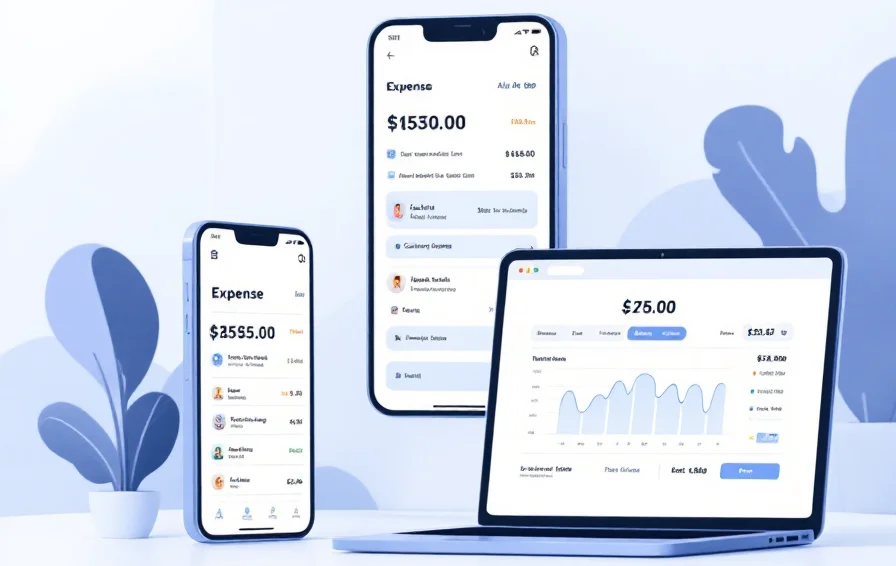
This reality has driven the massive growth of modern budgeting apps. These platforms have moved beyond simple, retroactive tracking tools. Today, the best budget app choices act as automated financial dashboards, offering predictive insights, behavior-shaping feedback, and instant account data syncing. Instead of simply showing where your money went last month, smart personal finance software helps you look ahead. It clarifies exactly what your current income can accomplish before you commit to new spending.
Whether you are looking to pay down high-interest debt, fund a major purchase, or optimize an investment strategy, finding the right budget app helps align daily transactions with long-term wealth goals.
Why Excel and Paper Budgets Fail regular Consumers
Many people try to manage their finances using custom spreadsheets or basic paper journals. While manual tracking can be a valuable way to learn money management skills, it often breaks down over time because of the effort required to maintain it. Life gets busy, expenses pile up, and even the most organized people can forget to record transactions consistently.
This is where Budgeting Apps have transformed personal finance. Instead of relying on manual data entry, modern budgeting tools can automatically categorize spending, track account balances, and provide real-time insights into your financial habits. By reducing friction and automating routine tasks, Budgeting Apps make it much easier to stay on top of your finances and maintain a budget that actually works in the real world.
Consider what happens when you use a manual spreadsheet. You have to log into every bank and credit card account, download your CSV files, format the rows, and manually fix broken formulas or wrong categories. If you miss just one weekend of tracking, your categories fall behind. Once a budget falls out of date, its decision-making value drops to zero. This friction creates a common cycle: people build a beautiful layout in January, abandon it by March, and spend the rest of the year guessing where their money goes.
Modern budgeting apps solve this issue by removing the manual labor from data collection. By building secure, read-only connections to your financial institutions, these apps compile your transactions into a single, cohesive interface. This shifts your time and energy away from tedious data entry and moves it toward high-value analysis and strategic planning.
Core Elements of a Modern Financial Tool
A great financial tracker needs to be more than just visually appealing. It requires an engine built around real financial principles. When evaluating different platforms, look for these four core capabilities:
- Automated Data Feed Integration: The tool should securely pull transactions from your primary checking, savings, and credit accounts. This gives you a near real-time look at your liquid cash without requiring manual imports.
- Smart Transaction Categorization: A solid system uses machine learning to identify recurring merchants and sort transactions automatically into distinct groups like groceries, utilities, and transport.
- Proactive Cash Flow Forecasting: Rather than just tracking past purchases, the software should look at your fixed recurring bills and upcoming paydays to show you what you can safely spend today.
- Cross-Device Cloud Synchronization: Your financial plan should update instantly across your phone, tablet, and desktop browser. This keeps partners or family members aligned on the same household goal.
Choosing the Best Budgeting Apps for Your Unique Financial Profile
There is no single “perfect” solution that works for everyone. Every consumer approaches personal finance with a distinct set of goals, habits, and tech preferences. A system that feels clear and empowering to a data-focused investor might feel completely overwhelming to a beginner who just wants to avoid overdraft fees.
To find the best budgeting apps, you need to match a platform’s specific design philosophy with your personal relationship to money. Financial software generally falls into three main camps:
The Zero-Based Planners: These programs require you to assign a specific role to every single dollar you earn. If you have unallocated funds sitting idle, the system pushes you to move them into specific targets like an emergency fund, travel savings, or debt payoff.
The Cash Flow Monitors: These tools focus on high-level tracking and predictability. They calculate your total fixed bills, estimate your upcoming paychecks, and show you exactly how much discretionary cash you have left to spend without hurting your savings.
The Envelope Skeptics: These platforms mimic the classic physical envelope method. They give you fixed allowances for specific areas like dining out or clothing, and prevent you from spending further once that specific virtual envelope is empty.
To see how the market’s top-performing platforms fit into these categories, let’s look at the key players leading the personal finance space this year.
In-Depth Reviews: The Power Players of 2026
1. You Need A Budget (YNAB) — Best for Active Zero-Based Planning
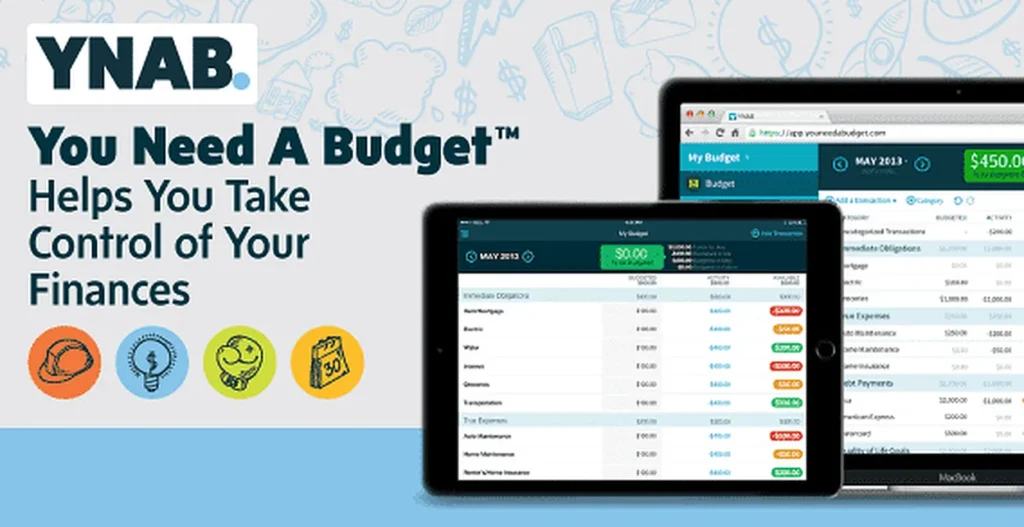
YNAB is built around an intentional, hands-on philosophy: every single dollar needs a clear job. Instead of letting you build aspirational goals based on money you expect to make next month, YNAB only allows you to budget the exact cash sitting in your bank accounts right now. This forces you to make real trade-offs whenever you overspend in a category.
- Core Pricing Model: $14.99 per month or $109 billed annually (after a 34-day free trial).
- Target Audience: Savers looking to pay down debt, break the paycheck-to-paycheck cycle, and actively manage their money.
Pros:
+ Promotes deep behavior changes and stops impulse spending
+ "Age of Money" metric helps you build a one-month cash buffer
+ Includes robust goal tracking and detailed visual reports

Cons:
- Features a steep learning curve that can intimidate beginners
- Requires regular manual check-ins to fix overspent categories
- Higher subscription price than casual tracking alternatives
2. Monarch Money — Best Comprehensive Mint Alternative
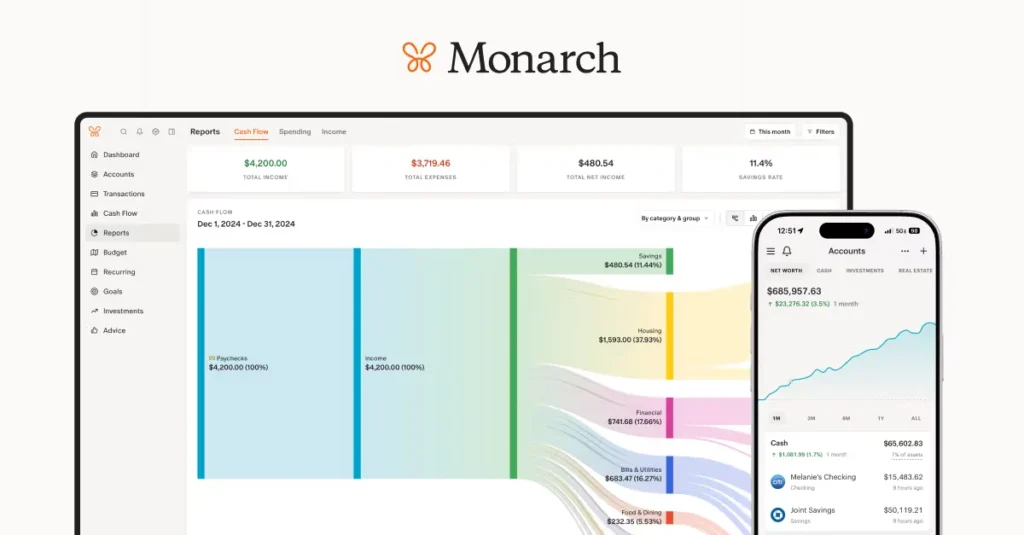
Monarch Money has emerged as a top choice for users looking for a modern, feature-rich interface. It offers a premium, completely ad-free dashboard that handles personal cash flow alongside long-term net worth tracking. It stands out for its flexibility, allowing users to choose between traditional category tracking or fluid monthly forecasting.
- Core Pricing Model: $14.99 per month or $99 billed annually.
- Target Audience: Multi-account wealth builders, couples who want joint access, and former users of legacy platforms like Mint.
Pros:
+ Provides shared family access with two separate logins under one plan
+ Integrates investments, property values, and liabilities in one place
+ Clean, customizable interface with zero intrusive financial ads

Cons:
- Does not offer a permanent free tier for basic tracking
- Investment analysis tools are high-level rather than deeply technical
- Can feel like too much data if you only need a basic tracker
3. Quicken Simplifi — Best Balanced Cash-Flow Tracker
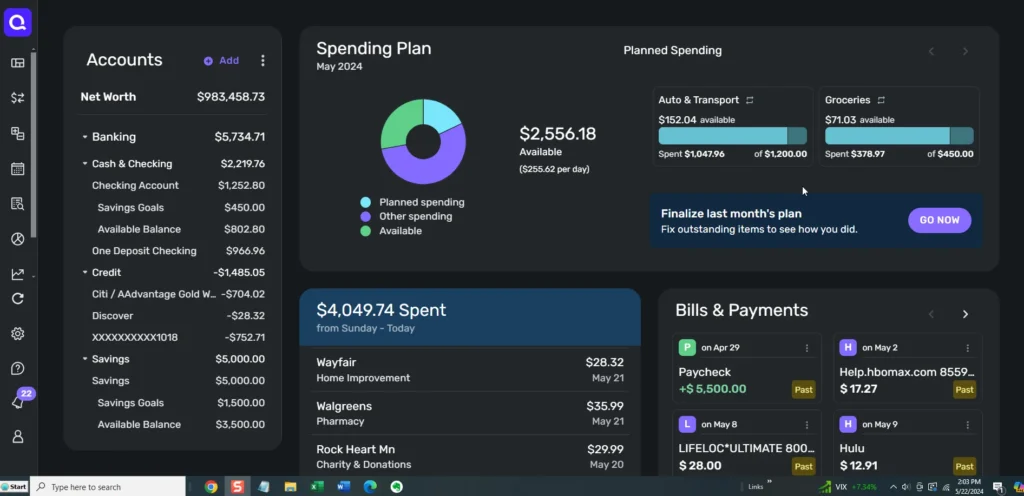
For users who want to stay on track without micro-managing every transaction, Quicken Simplifi offers an excellent balance of automation and utility. Instead of forcing a rigid zero-based system, Simplifi automatically builds a customized “Spending Plan” based on your historical income and fixed bill patterns. It tells you exactly what is safe to spend after your bills and savings targets are covered.
- Core Pricing Model: $5.99 per month (billed annually at $71.88).
- Target Audience: Busy professionals who want low-maintenance tracking and a clear view of their household cash flow.
Pros:
+ Highly automated system requires minimal manual categorization
+ Excellent real-time cash flow and bill-due tracking
- Offers great value for a premium, ad-free financial tool

Cons:
- Lacks the strict behavioral guardrails found in zero-based apps
- Desktop interface can occasionally feel crowded with metrics
- Visual customizations require some initial setup time
4. Copilot Money — Best iOS Native Design & AI Insights
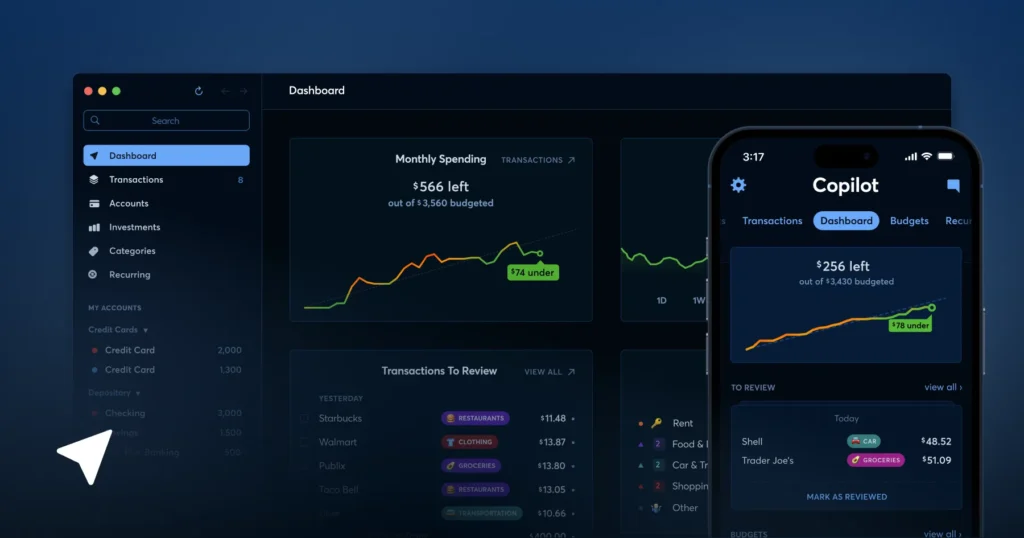
If you live entirely within the Apple ecosystem, Copilot Money is one of the most well-designed options available. Built exclusively for Mac and iOS, it uses highly accurate machine learning algorithms to auto-categorize transactions, track investment portfolios, and monitor rolling subscriptions. Its dark mode interface makes reviewing your personal finances feel simple and streamlined.
- Core Pricing Model: $14.99 per month or $119.99 billed annually.
- Target Audience: iPhone and Mac users who appreciate clean UI design and highly automated tracking.
Pros:
+ Beautiful user interface with smooth, responsive animations
+ Advanced AI engine learns your specific merchant categories quickly
+ Tracks investment balances alongside standard daily transactions

Cons:
- Entirely unavailable for Android or Windows web browsers
- Premium price point with no entry-level free options
- Aggregation connections can occasionally disconnect during updates
5. Rocket Money — Best for Subscriptions & Bill Reduction
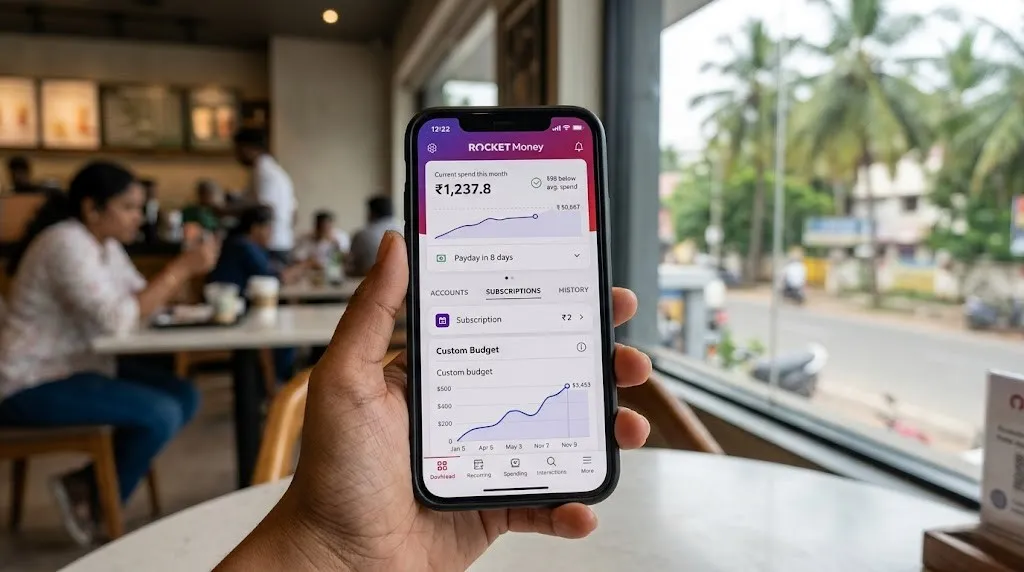
Rocket Money focuses on optimizing the structural expenses inside your budget. It scans your accounts to build an interactive list of all recurring subscriptions, making it easy to spot hidden costs. It also features an in-house negotiation service that contacts service providers directly to lower your internet, security, or cell phone bills.
- Core Pricing Model: Free basic version; Premium features operate on a sliding scale from $4 to $12 per month.
- Target Audience: Consumers focused on cutting monthly overhead and managing high volumes of subscription services.
Pros:
+ Clean subscription tracker clearly identifies zombie charges
+ Built-in bill negotiation service cuts costs with minimal effort
+ Intuitive, easy-to-use credit score monitoring features

Cons:
- Core budgeting features are gated behind the premium tier
- Bill negotiation requires a high success fee (a percentage of savings)
- Free version contains regular ads for loans and credit cards
6. ExpenShare — Best for Private & Shared Group Bill
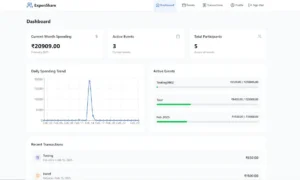
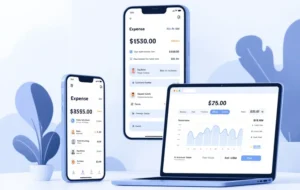
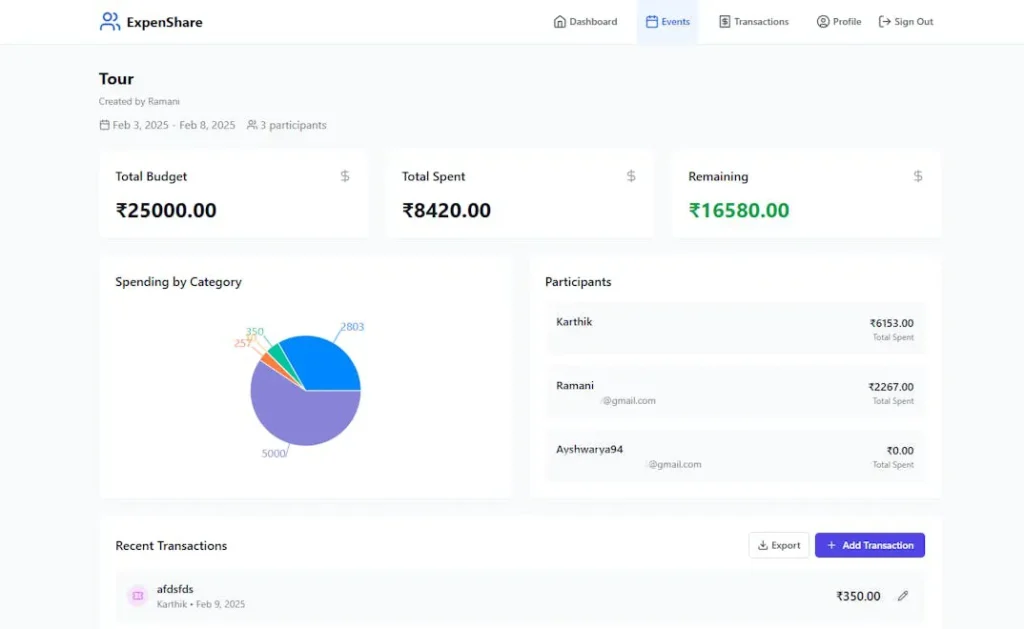
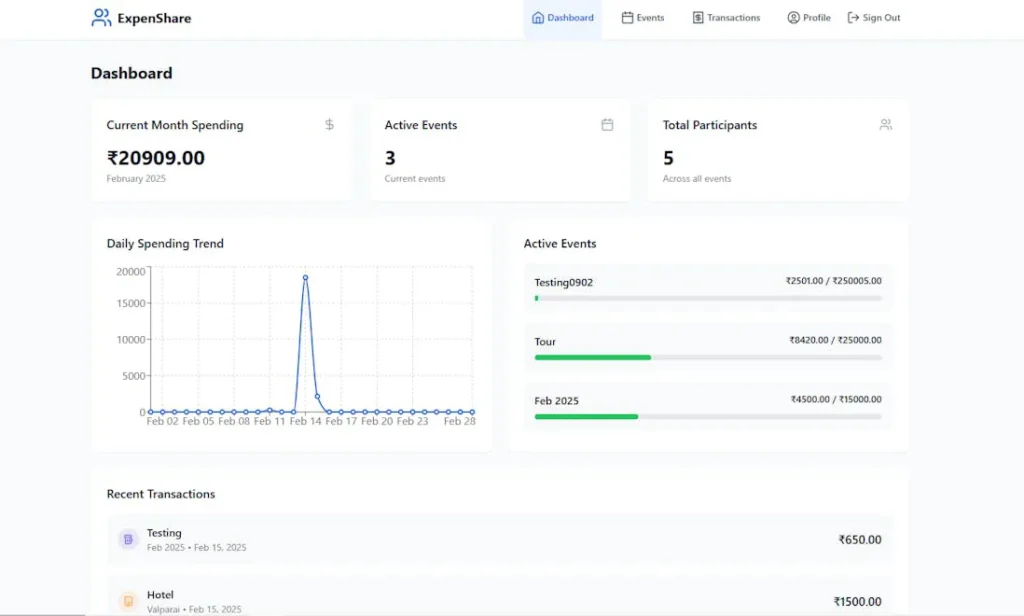
ExpenShare — Best for Private & Shared Group Bill SplittingExpenShare focuses on effortless shared expense management for couples, roommates, and group events without risking financial privacy. It operates entirely as a manual ledger, meaning it never requests your bank logins or credit card credentials to track costs. Group members can instantly log shared expenses, view a live updating budget, and export clean CSV or PDF summaries for trips or household accounts.
- Core Pricing Model: Free basic version; Pro features cost a flat $5 per month.
- Target Audience: Couples, roommates, and travelers who want a collaborative, privacy-first way to split bills and manage group budgets.
Pros:
- Zero bank-syncing or link requirements ensure absolute financial privacy
- Real-time shared visibility updates instantly across all group members’ devices
- Highly generous free tier offers unlimited expense tracking and event creation
Cons:
- Entirely manual data entry requires consistent tracking discipline from everyone
- Advanced features like bill attachments and custom categories require the Pro tier
- Free version contains advertisements
Comparison: Individual Automation vs. Group Manual Tracking
| Feature | Automated Solo Apps | Collaborative Group Apps |
| Primary Goal | Tracking personal savings and long-term investments | Managing shared balances, events, and household bills |
| Data Entry | Automatic bank and credit card syncing | 100% manual, intentional logging |
| User Access | Single-user viewpoint | Multi-user groups with real-time cross-device syncing |
| Settlement Math | Requires manual calculations outside the app | Automatic split calculations and balance tracking |
Shifting shared financial tracking away from rigid, automated bank feeds and toward highly visual, manual group ledgers completely eliminates the awkward conversations and post-trip calculator math that usually cause relationship friction.
Top Free Budgeting Apps for Beginners
If you want to organize your finances without adding a new monthly subscription bill, there are excellent free budgeting apps that provide strong core features without charging a premium.
EveryDollar (Free Version)
Created by Ramsey Solutions, EveryDollar provides a streamlined introduction to zero-based budgeting. The free budget app version gives you full access to their simple, clean budgeting grid. You can build custom categories, set spending caps, and allocate every dollar of your monthly income manually.
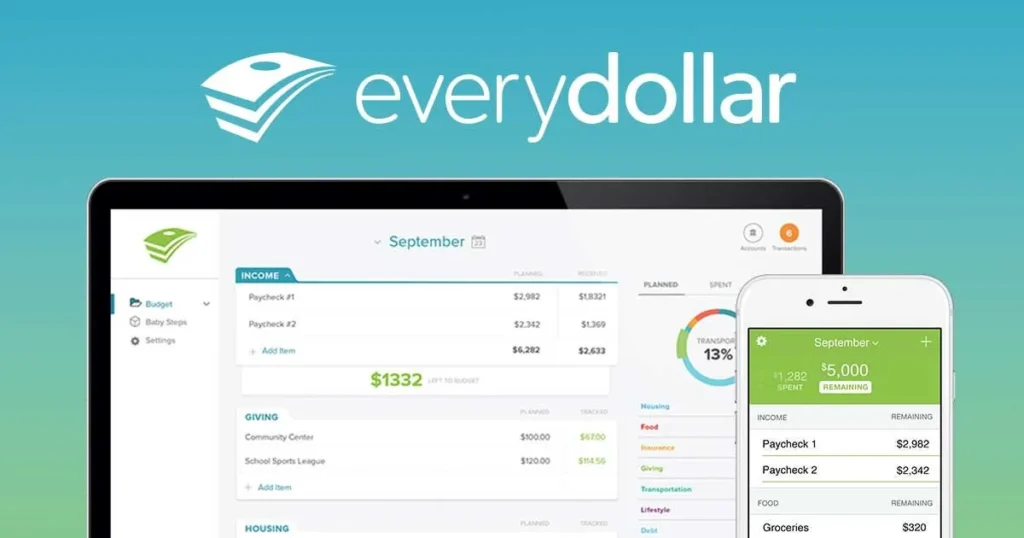
The main trade-off of the free tier is that it does not connect to your bank accounts. You have to manually log each transaction when you spend money. While this takes a bit more effort, many financial planners find that manual entry creates higher spending awareness, which naturally curbs impulse purchases.
Goodbudget (Free Tier)
Goodbudget brings the classic paper envelope method into the digital world. The free tier gives you 20 virtual envelopes, one year of historical transaction tracking, and account access across two devices.
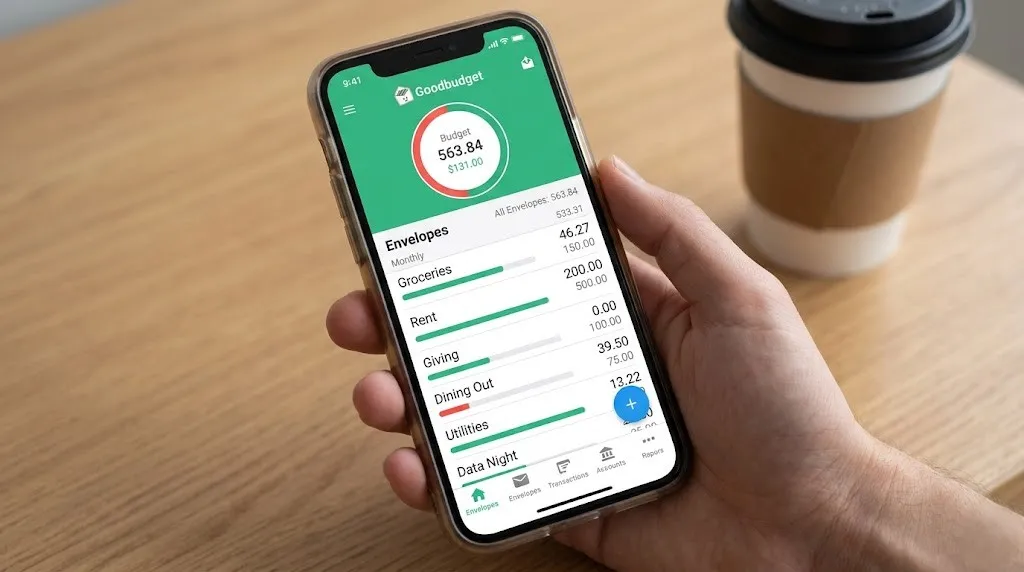
Because you manually input your balances and expenses, it serves as an excellent free budgeting apps option for couples or families who want to coordinate their spending habits without linking sensitive bank login credentials to a third-party app.
Top Free Personal Finance Software: Unlock Your Financial Potential Today
The 50/30/20 Rule: Mapping Your Strategy
When setting up your preferred budget apps, it helps to use a clear structural framework to prevent over-complicating your categories. One of the most reliable strategies is the classic 50/30/20 framework, which organizes all household income into three clear buckets:
As shown in the visual framework above, your post-tax monthly income should ideally be divided into these three clear areas:
- 50% for Essential Needs: This includes non-negotiable living expenses like housing payments, utility bills, groceries, insurance, and minimum debt payments.
- 30% for Discretionary Wants: This covers optional lifestyle spending like dining out, entertainment, travel, and subscription services.
- 20% for Financial Savings: This capital is reserved for building emergency cash reserves, funding retirement accounts, and making extra principal payments on high-interest debt.
Most modern tracking software lets you assign these specific percentage goals directly to your dashboard, making it easy to see where your money is going at a glance.
Comparison Matrix: Finding Your Perfect Platform Match
To help you compare your options, this table breaks down the main differences between this year’s top personal finance tools:
| Platform | Core Strategy | Bank Sync Automation | Starting Price | Best Feature |
| YNAB | Zero-Based Allocation | Fully Automated | $14.99 / mo | Deep behavior modifications |
| Monarch Money | Flexible Net Worth Tracking | Fully Automated | $14.99 / mo | Multi-user collaboration setups |
| Quicken Simplifi | Predictable Cash-Flow Plans | Fully Automated | $5.99 / mo | Low-maintenance overhead |
| Copilot Money | AI Categorization | Fully Automated | $14.99 / mo | Clean Mac & iOS layout design |
| Rocket Money | Subscription Optimization | Fully Automated | Pay-what-you-want | In-house bill negotiation tools |
| EveryDollar | Manual Zero-Based Entries | Manual (Free Tier) | $0.00 (Basic) | High personal transaction awareness |
| Goodbudget | Digital Envelope Balances | Manual (Free Tier) | $0.00 (Basic) | Simple shared family tracking |
| ExpenShare | Collaborative Bill Splitting | Manual (100% Private) | $0.00 (Basic) | Real-time shared group expense tracking |
A Step-by-Step Blueprint to Transition Safely
Moving your personal finances to a new software system can feel overwhelming if you try to configure everything at once. Use this clear four-step process to get set up smoothly:
Step 1: Aggregate Your Foundational Accounts
Link your primary checking account and your most frequently used everyday credit card first. Do not worry about tracking small investment accounts or long-term retirement funds until you feel comfortable tracking your daily cash flow.

Step 2: Clean Up Your Core Categories
Most software comes with dozens of pre-configured categories that you don't actually need. Simplify your dashboard by consolidating these down to 8 or 10 broad, understandable groups like Housing, Food, Transport, and Entertainment.

Step 3: Establish a Weekly Review Habit
Set aside 10 minutes every Friday morning to review your app. Approve newly cleared transactions, fix any wrong automated categories, and check your remaining balance before heading into the weekend.

Step 4: Adjust and Refine Your Boundaries
Your first month’s targets are rarely perfect. If you consistently overspend on groceries but stay well under your clothing budget, update your category caps to match your real-world habits rather than trying to force an unrealistic plan.
Data Security: How Safe Is Your Account Data?
The most common reason people hesitate to use financial software is security. It is completely natural to feel cautious about linking your primary bank accounts to a third-party app.
To protect your data, modern financial tools use advanced, bank-grade security protocols. They use specialized financial data networks like Plaid, MX, or Finicity to sync information securely.
Important Security Fact: These connection networks act as a secure, one-way bridge. They provide read-only transaction data to your app. The software cannot make modifications, move funds, or change account details. Furthermore, these platforms use AES 256-bit encryption to secure your data and never store your actual bank login passwords on their systems.
Conclusion: The Ultimate Wealth Building Blocks
At the end of the day, downloading budgeting apps will not automatically solve your financial challenges or build long-term savings on its own. The real value of these tools lies in their ability to provide accurate, organized data so you can make informed decisions.
By removing the manual friction of tracking your expenses, the best budgeting apps give you absolute clarity over your cash flow. They show you exactly where your money goes, highlighting unnecessary costs while making it easy to fund your biggest life goals.
If you want a highly disciplined system that guides every dollar, tools like YNAB are excellent options. If you prefer a clear, automated dashboard that tracks your net worth with minimal maintenance, platforms like Monarch or Simplifi provide incredible value. The most effective system is simply the one you enjoy using consistently. Pick the tool that matches your style, start with a few basic accounts, and use that clear data to build a secure financial future.
Frequently Asked Questions (FAQ)
Are there safe free budgeting apps that don’t include hidden fees?
Yes. Platforms like EveryDollar and Goodbudget offer solid, permanent free tiers. These free versions require you to input transactions manually, which keeps the tool completely free while protecting your data privacy.
Can I coordinate a single budget app across two different phones?
Yes. Modern platforms like Monarch Money and YNAB allow multiple devices or users to log into the same household budget. This keeps couples aligned on shared goals with real-time syncing.
What happened to Mint, and what is the top replacement app today?
Mint was officially closed down by Intuit. Monarch Money, Quicken Simplifi, and Copilot have become the top choices to replace it, offering clean imports for old Mint history.
Will linking my accounts to financial apps lower my credit score?
No. Financial tracking apps simply read your transaction history to help you budget. They do not run credit checks or alter your credit file, so your score is completely unaffected.
Suggested Delivery Resources
Suggested External Authority Links
- Consumer Financial Protection Bureau (ConsumerFinance.gov) — Authority link text: impartial consumer data protection resources
- National Endowment for Financial Education (NEFE.org) — Authority link text: behavioral personal finance education research